Institutional proposal
Exhibit XO · Linear accessible equivalent
Master dossier: accessible dossier equivalent
This single-column version contains the same proposal, evidence boundaries, visual descriptions, and next step as the visual dossier. It uses no custom chapter controls and is designed for reading, reflow, screen readers, and printing.
01 · The proposal
Begin with one artwork-led institutional pilot.
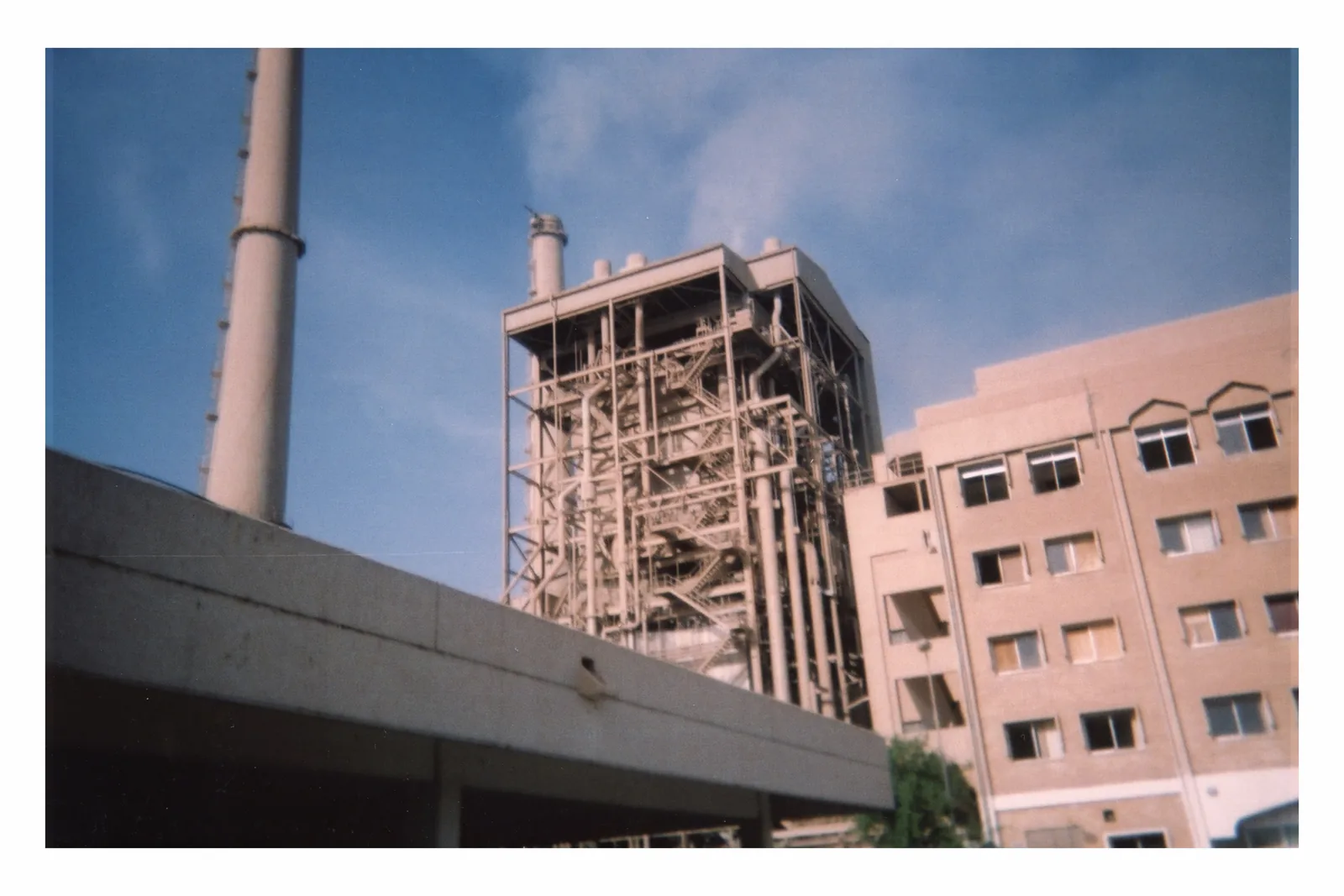
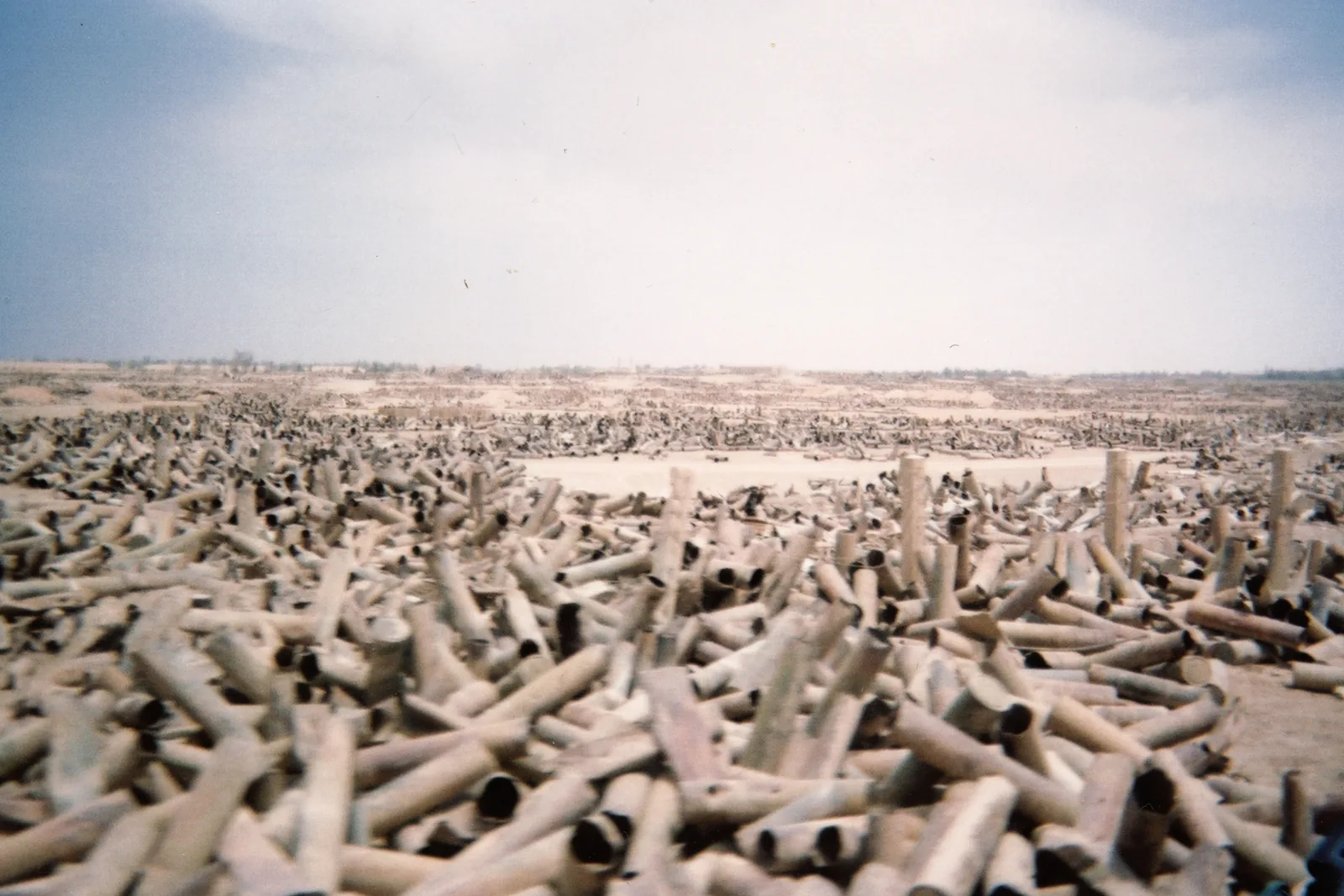
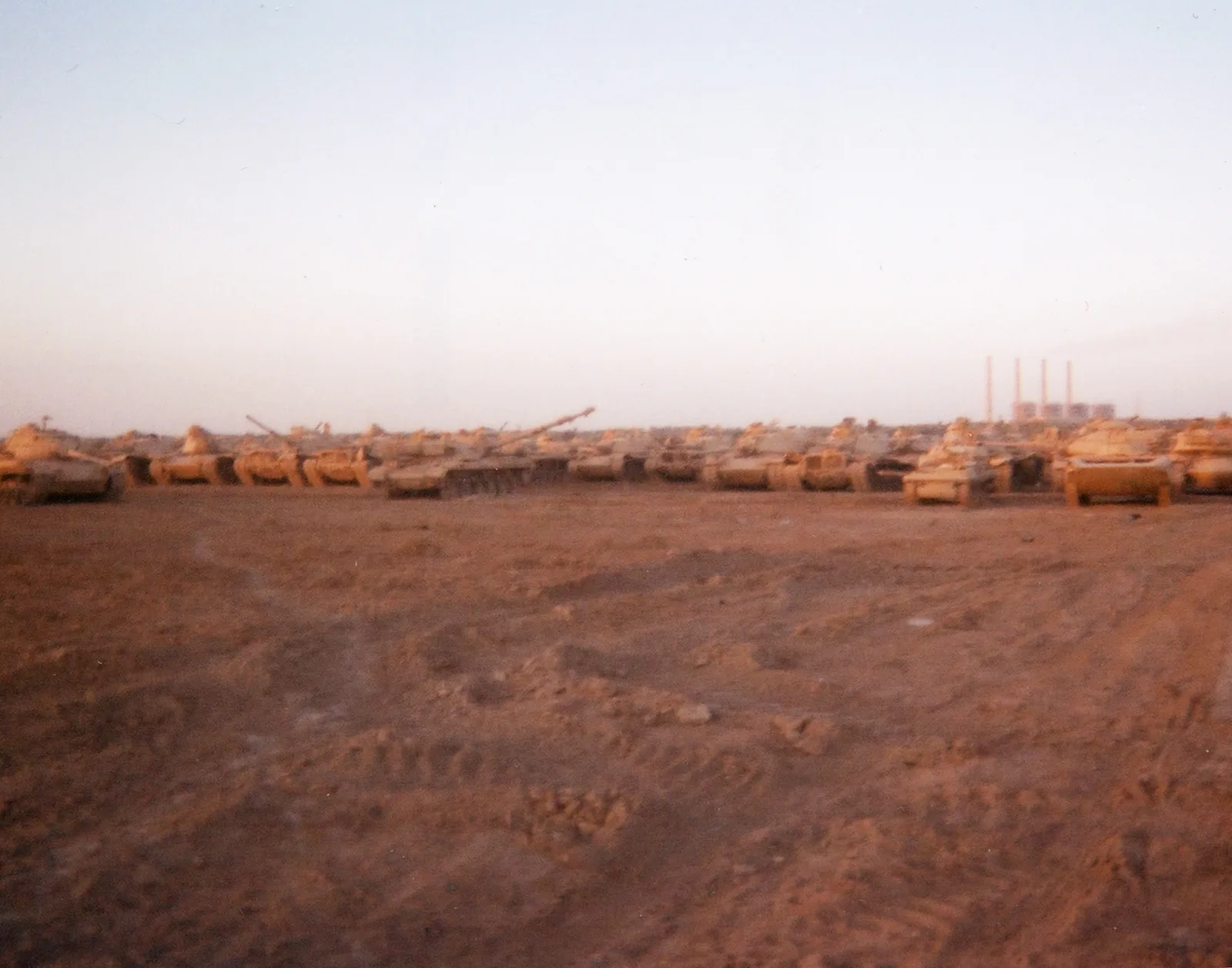
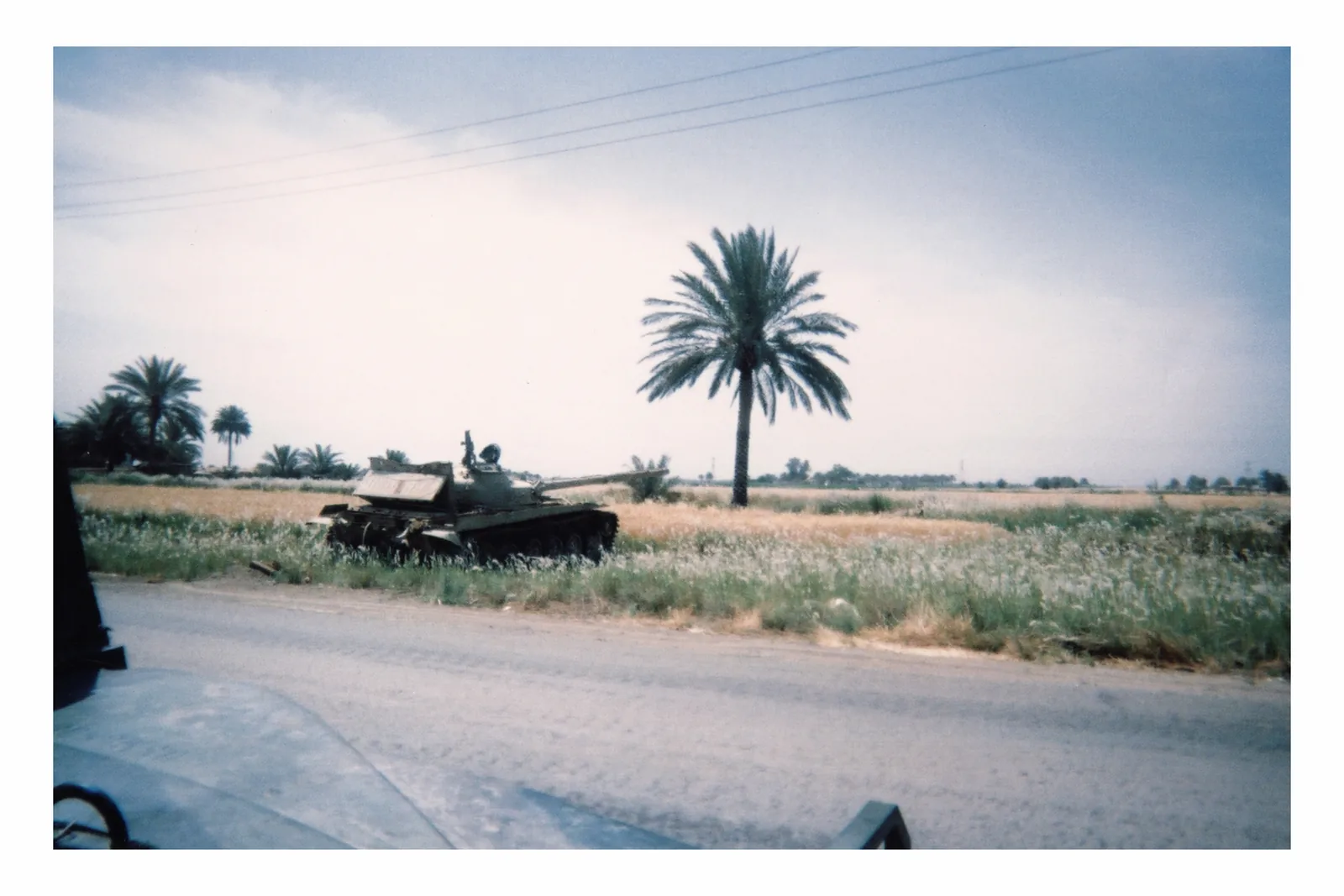
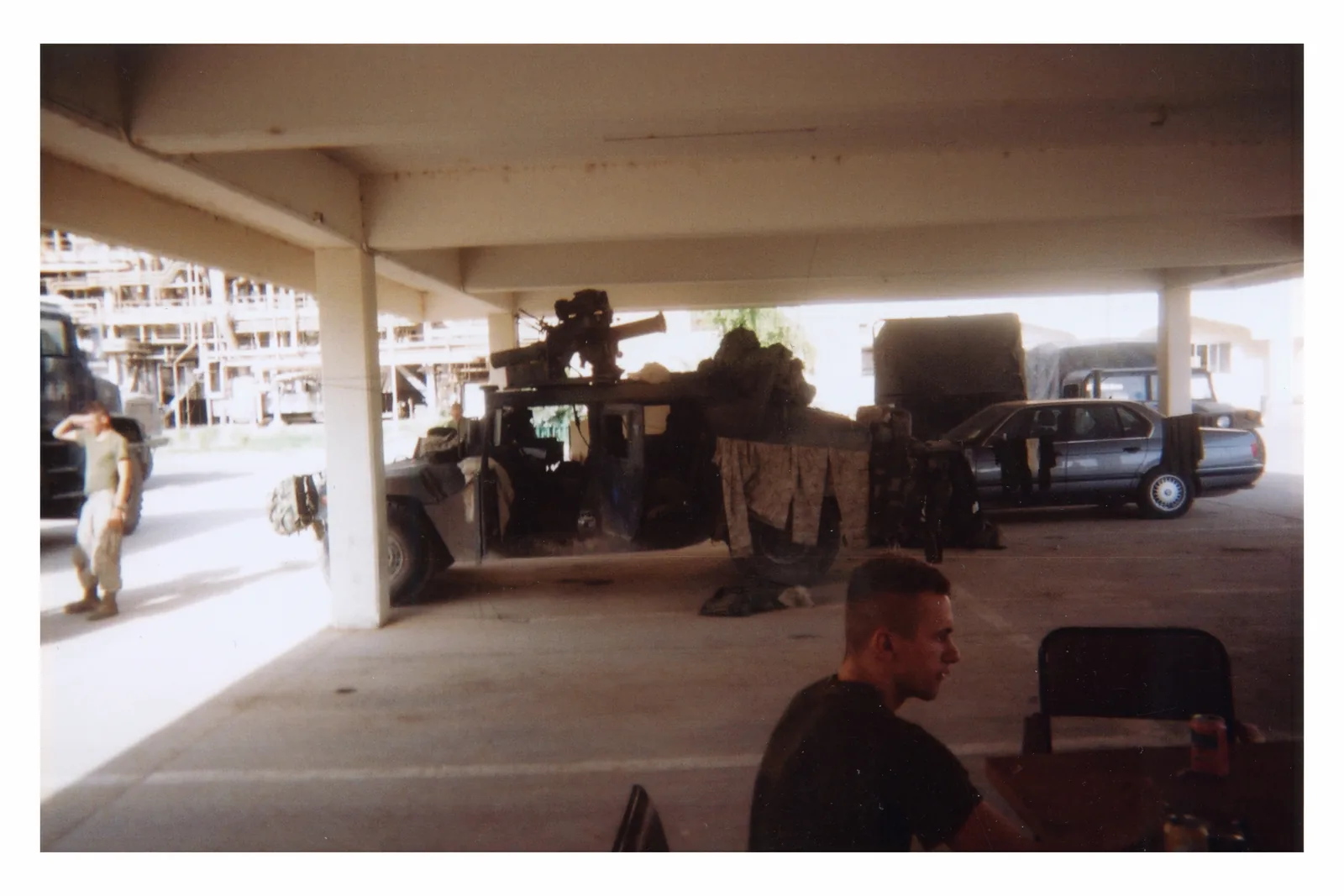
Exhibit XO would begin with A Marine’s Disposable War as the governed reference project. The first test uses one or two of its fifteen photographs and a browser-based companion that visitors explore at their own pace.
Visitors choose the depth
Open visual description, context, testimony, authorship, connections, and uncertainty only when useful.
The museum keeps control
Approved sources, visible attribution, and human review govern what is released, corrected, or withdrawn.
The pilot stays bounded
Begin in a browser with AMDW. AI, artwork recognition, audio, and gallery hardware remain optional.
Disability should not mark the edge of someone’s encounter with art.
The pilot tests whether visitors can reach meaningful interpretation without being separated from the artwork or forced through a fixed sequence.
The browser-based Core requires no AI, account, proprietary app, special hardware, or default visitor tracking.
02 · What is ready now
What exists today—and what remains proposed.
Each capability is labeled as live, tested but unreleased, prototype, or future so the real starting point is clear.
- Live / current
- The browser-based AMDW companion and its controlled project record are available now.
- Tested / not released
- A technical candidate has passed controlled checks but remains unreleased and unavailable to visitors.
- Prototype
- A bounded implementation direction requiring human, device, venue, and technical testing.
- Future / optional
- Separately scoped work. It is not required for Core and carries no availability promise.
The live companion is the evidence.
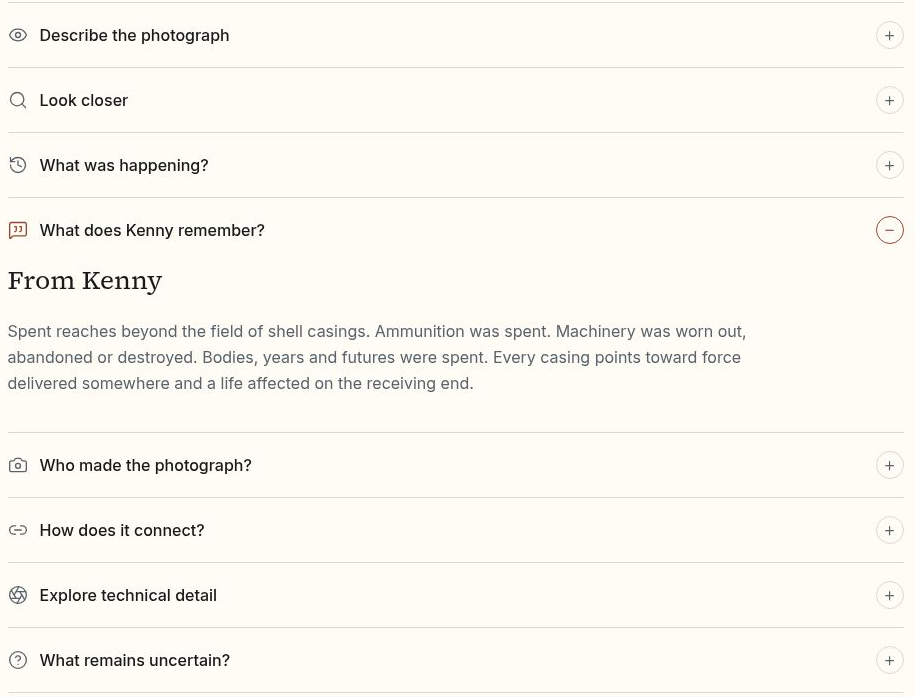
Visitors can open discrete layers for description, closer looking, context, Kenny’s recollection, authorship, connections, technical detail, and uncertainty. The companion is browser-based and covers all fifteen AMDW works.
Automated accessibility checks support technical review, but they do not replace human testing. Qualified blind-user review of the institutional experience remains a release gate.
03 · Visitor agency
How does a visitor enter and move?
A visitor can use the web address directly, scan a QR code, tap an NFC tag, or use an optional station. No single entry method is required.
- 01
Encounter
Remain with the artwork and find its readable address or entry marker.
- 02
Orient
Confirm the work and receive a concise overview.
- 03
Choose depth
Open description, closer detail, context, testimony, provenance, or uncertainty.
- 04
Return
Pause, move on, or begin again. No timer and no forced sequence.
- Readable URL
- Direct address; the universal fallback.
- QR
- A printed pointer opened by a visitor.
- NFC
- Optional tap-to-open entry requiring venue testing.
- Visitor-initiated recognition
- Optional deliberate camera or file entry; never passive.
- Station
- Optional shared access point when a venue and visitors need one.
04 · Trust
How does a visitor know whose account they are receiving?
Every layer names its source. Museum contributions remain visibly attributed and never silently become part of the artist or project record.
- Artwork record
- What the approved artwork and project record establish.
- Artist testimony
- What Kenny recalls or interprets, labeled as his account.
- Museum interpretation
- Museum-contributed interpretation, visibly attributed and separately governed.
- Contextual research
- What documented sources contribute.
- Combined interpretation
- A combined answer, explicitly labeled as such.
- Uncertainty
- What the available evidence cannot settle.
Authority is part of the interface.
A visitor should be able to distinguish what the project record establishes, what Kenny remembers, what research contributes, what a museum interprets, what an optional system combines, and what remains unsettled.
People remain responsible for release, correction, and withdrawal. Technology can preserve labels and links; it never decides what is authoritative.
05 · Required baseline
What works without AI or custom hardware?
Core is the approved browser-based experience. Visitors open only the layers they want, and a readable web address is always available.
Core requires
- Approved interpretive layers and clear authority labels.
- A readable web address and a current web browser.
- Keyboard, screen-reader, zoom, reflow, contrast, and correction review.
- A human workflow for approval, release, correction, and withdrawal.
Core does not require
AI, a proprietary app, artwork recognition, accounts, special hardware, passive sensing, facial recognition, an always-on microphone, or visitor tracking. It can also preserve the approved experience when optional services are unavailable.
06 · Optional conversation
What would AI add?
If separately approved, it could let visitors ask questions in everyday language while remaining limited to reviewed exhibition sources. Core would still stand on its own.
Answers from approved sources
Search only reviewed exhibition material and show the records that support an answer.
Clear source labels
Keep artist testimony, museum interpretation, research, combined answers, and uncertainty distinct.
Natural conversation
Let a visitor ask a question in everyday language, change depth, and stay within the exhibition.
Required behavior before release
Before release, the system must show its sources, state its limits, preserve uncertainty, refuse to invent, keep museum material attributed, and return to Core whenever a question falls outside the approved material.
AI could run on museum-controlled equipment or through a separately approved service. Voice would require push-to-talk, a visible privacy state, and explicit testing; an always-on microphone would not be part of the proposal.
07 · Clear scope
What is required, and what can be added later?
Capabilities and pilot scale are shown separately so an optional feature can never become a hidden requirement.
Modules
Core
Live / currentRequiredApproved interpretation in an ordinary browser, organized so visitors open only the layers they want. No AI, account, proprietary app, special hardware, passive sensing, or visitor tracking.
Audio
Future / optionalOptionalReviewed narration and description. Core remains complete when Audio is unavailable.
Interactive questions
PrototypeOptionalVisitor-directed questions limited to approved sources, with visible source labels, preserved uncertainty, and refusal to invent. It returns safely to Core.
Artwork recognition
Tested / not releasedOptionalVisitor-initiated artwork entry only. No passive camera, facial recognition, or requirement to use recognition; direct address remains available.
Gallery station / audio node
PrototypeOptionalAn optional shared physical access point. It is one product family under study, not a completed or fabrication-ready product.
Implementation levels
- Level 1
Proof
One or two artworks testing entry, navigation, depth, understanding, and correction in the browser.
- Level 2
Institutional Pilot
Selected AMDW works with agreed co-design, field evaluation, roles, and release gates.
- Level 3
Complete AMDW Installation
The full fifteen-work AMDW experience, with every optional feature reviewed separately.
- Level 4
New Collection Test
Selected museum-owned material only after the AMDW pilot supports a second test.
08 · How it works
How does approved material reach a visitor?
Each artwork keeps its identity, sources, attribution, and uncertainty. Visitors choose what to open, and the browser remains available if an optional feature fails.
- 01
Approved sources
Artwork, rights, and reviewed interpretation
- 02
Artwork record
Identity, sequence, links, and release status
- 03
Source labels
Who said what, what is known, and what remains uncertain
- 04
Browser experience
Visitor-directed interpretation alongside the work
Optional additions
Reviewed audio, visitor-directed questions, deliberate artwork recognition, and a gallery station or audio node can be added separately. Museum contributions stay attributed. Any approved evaluation data remains separate from ordinary use. If an optional feature fails, the visitor returns to the browser-based experience.
09 · Data boundary
What does the basic experience know about a visitor?
Nothing by default. Core works without identity, an account, passive sensing, facial recognition, or hidden listening.
No account
No profile or sign-in is needed to read Core.
No passive sensing
No background camera, proximity tracking, or biometric inference.
No always-on microphone
Voice, if separately approved, would be visitor-initiated and visibly indicated.
No default visitor data
The minimum deployment stores no visitor interaction record.
Museum approval
Any measurement or stored usage data requires an explicit museum decision and data plan.
Museum-controlled systems
Stored interpretation and optional computing may remain on systems the museum controls.
This private review page also collects no dossier engagement data.
10 · Practice and release gates
What is ready, and what still needs human testing?
Accessibility is a continuing practice, not a certification claim. Automated checks can find technical defects; only people can evaluate the lived experience.
Current practices
- Semantic headings, landmarks, labels, and logical reading order.
- Keyboard operation, visible focus, screen-reader structure, and direct links.
- Zoom and reflow, contrast, readable measures, and progressive disclosure.
- No timed interaction, autoplay, forced audio, or disappearing instruction.
- Text equivalents for diagrams, concept studies, and meaningful images.
Human release gates
Qualified blind-user testing of the institutional experience remains required. Co-design and testing labor should be paid. Additional disabled participants and appropriate specialists are needed for the actual museum, devices, routes, content, and environment.
One reviewer, one browser, or one automated report cannot establish universal access, certification, museum validation, or readiness for every visitor.
11 · Optional physical family
What could shared gallery access look like?
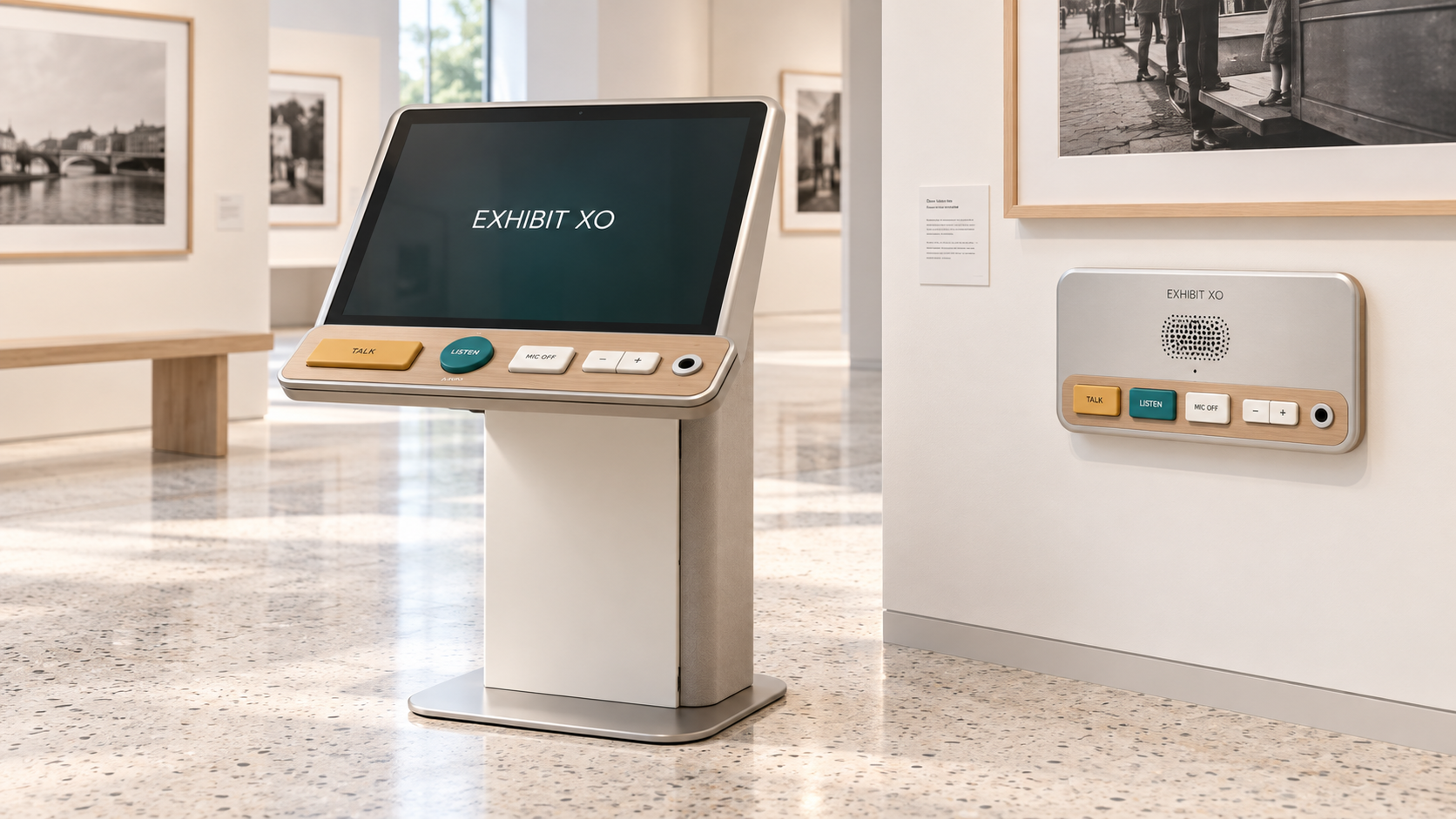
The station and compact audio node are optional concepts designed to sit quietly near the work. Core does not depend on them, and these images are not fabrication drawings.
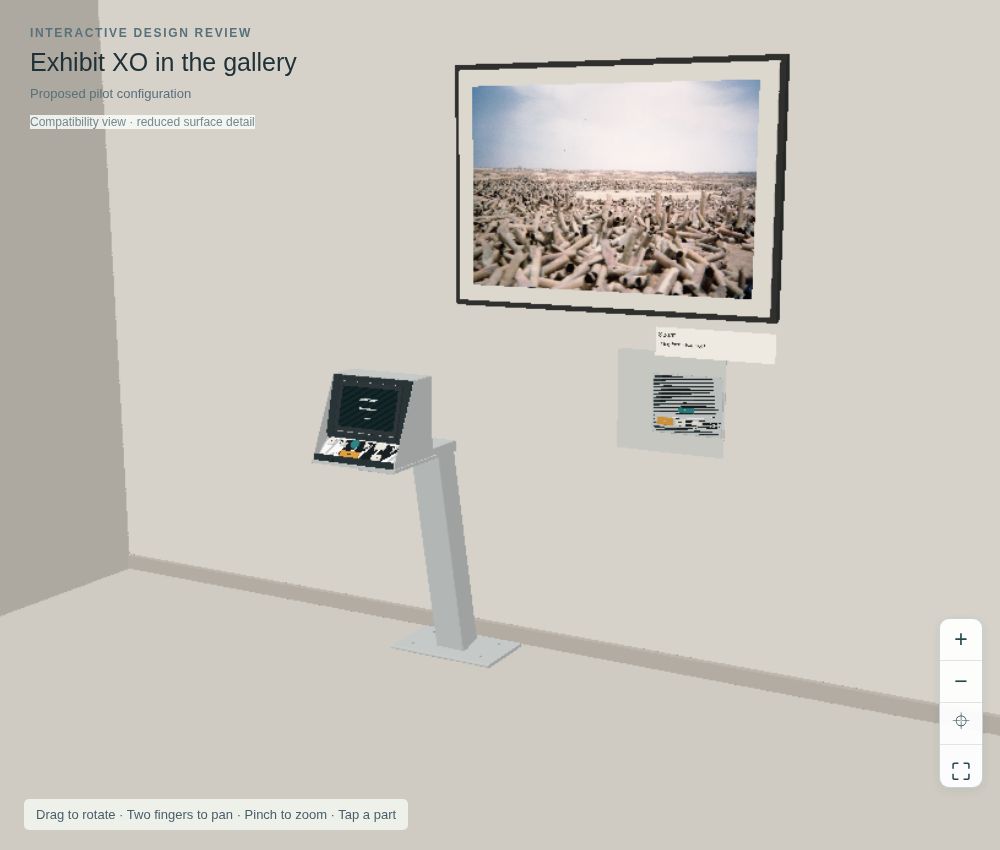
Inspect the proposed system in 3D
Compare three physical representations, locate compute and connections, or inspect component records.
Same system; different enclosures and placement. Prototype validation required.
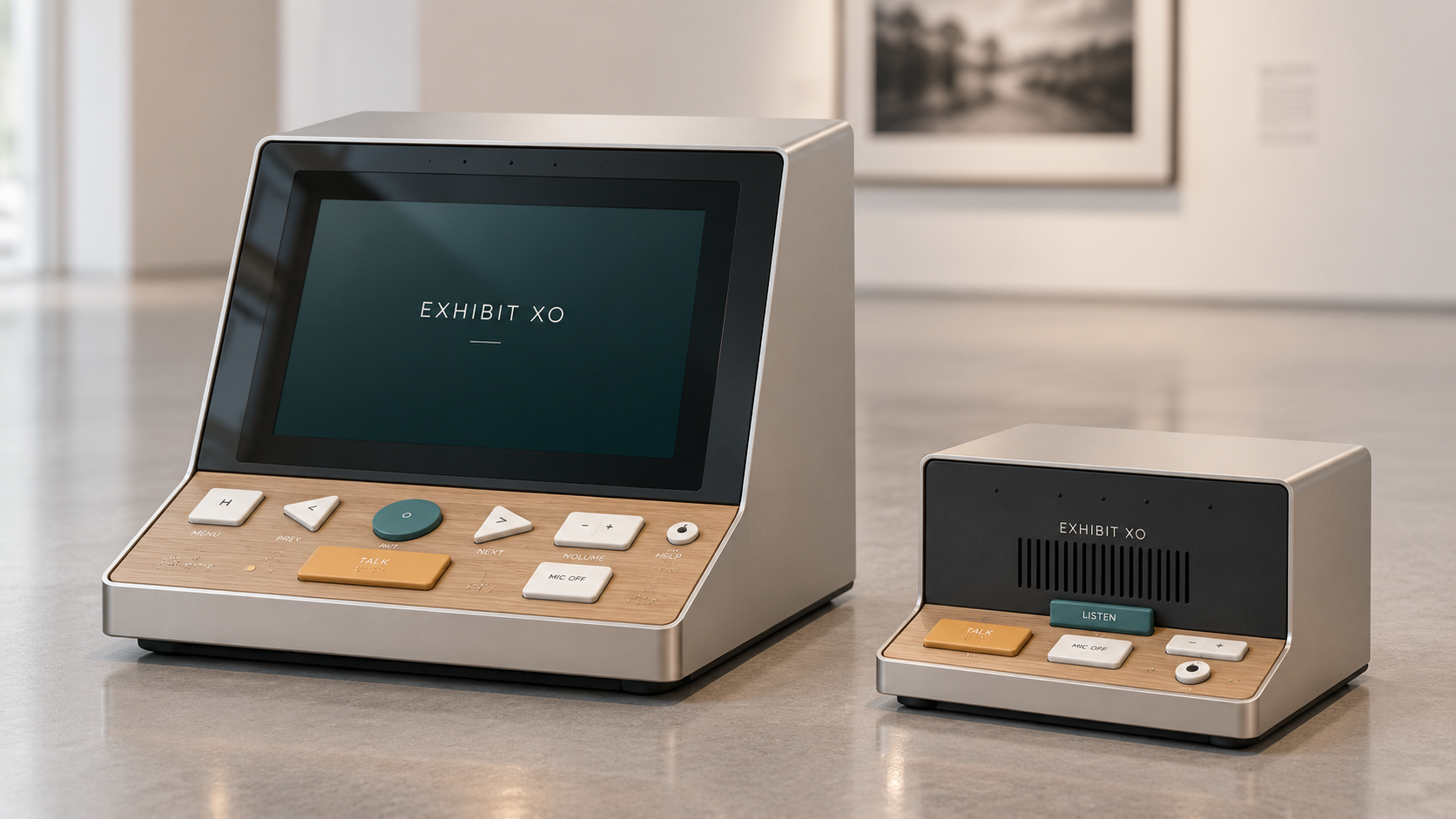
Near term
Gallery Quiet
Credible near-term Station direction
Industrial-design study; engineering configuration subject to prototype validation.
Long term
Civic Light
Preferred long-term purpose-built direction
Industrial-design study; engineering configuration subject to prototype validation.
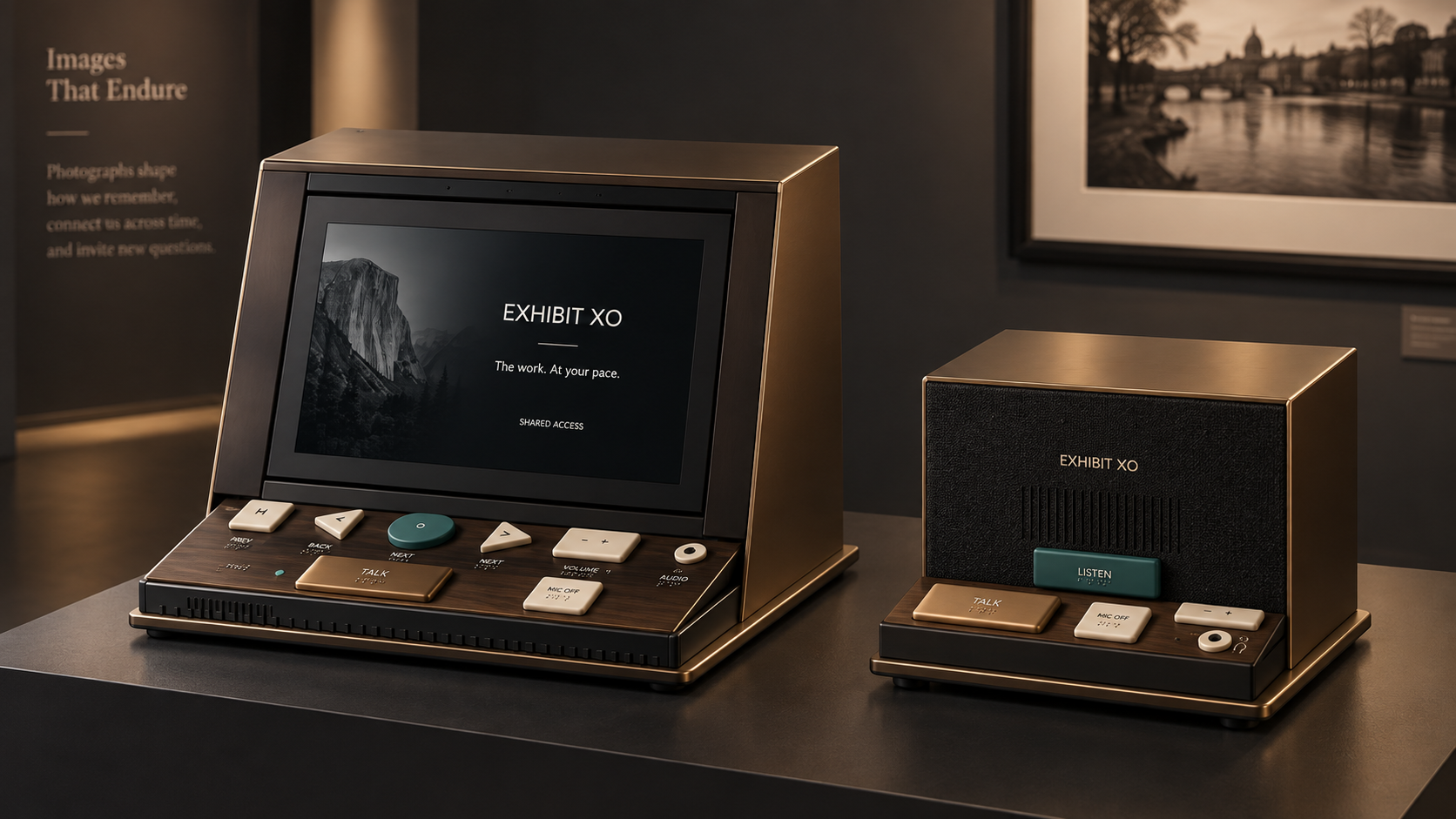
Material variant
Archive Bronze
Venue-responsive material variant
Industrial-design study; engineering configuration subject to prototype validation.
12 · Engineering bridge
What must a physical prototype prove?
The concept studies identify practical questions. A physical prototype must still be built and tested with visitors, museum staff, and accessibility specialists.
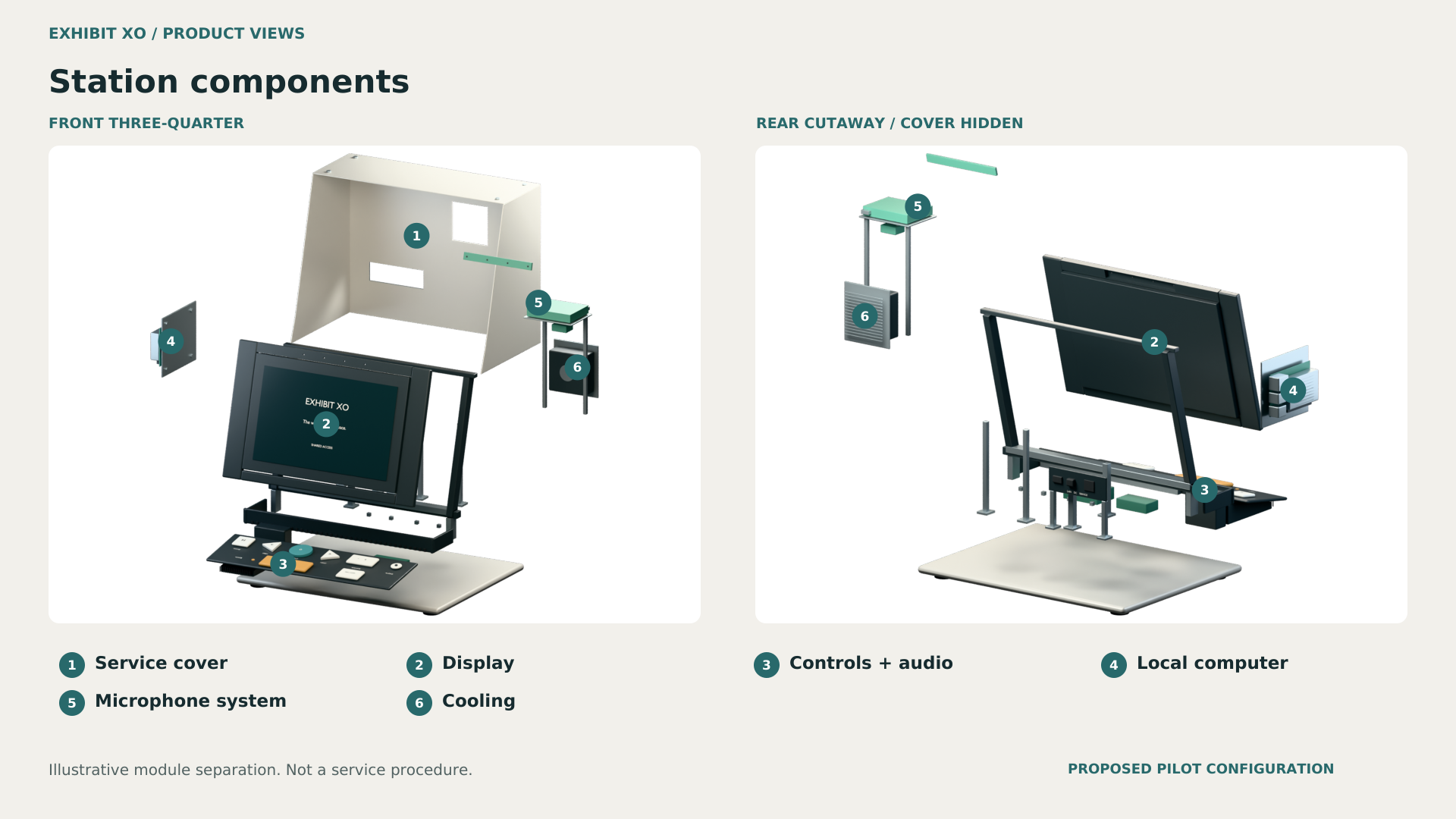
Physical validation
Display angle and glare; wheelchair and standing reach; tactile differentiation; push-to-talk and visible privacy indication; headphone hygiene; speaker behavior; stability; service access; cleaning; heat; noise; power; cable management; and emergency fallback all require prototyping with users and venue staff.
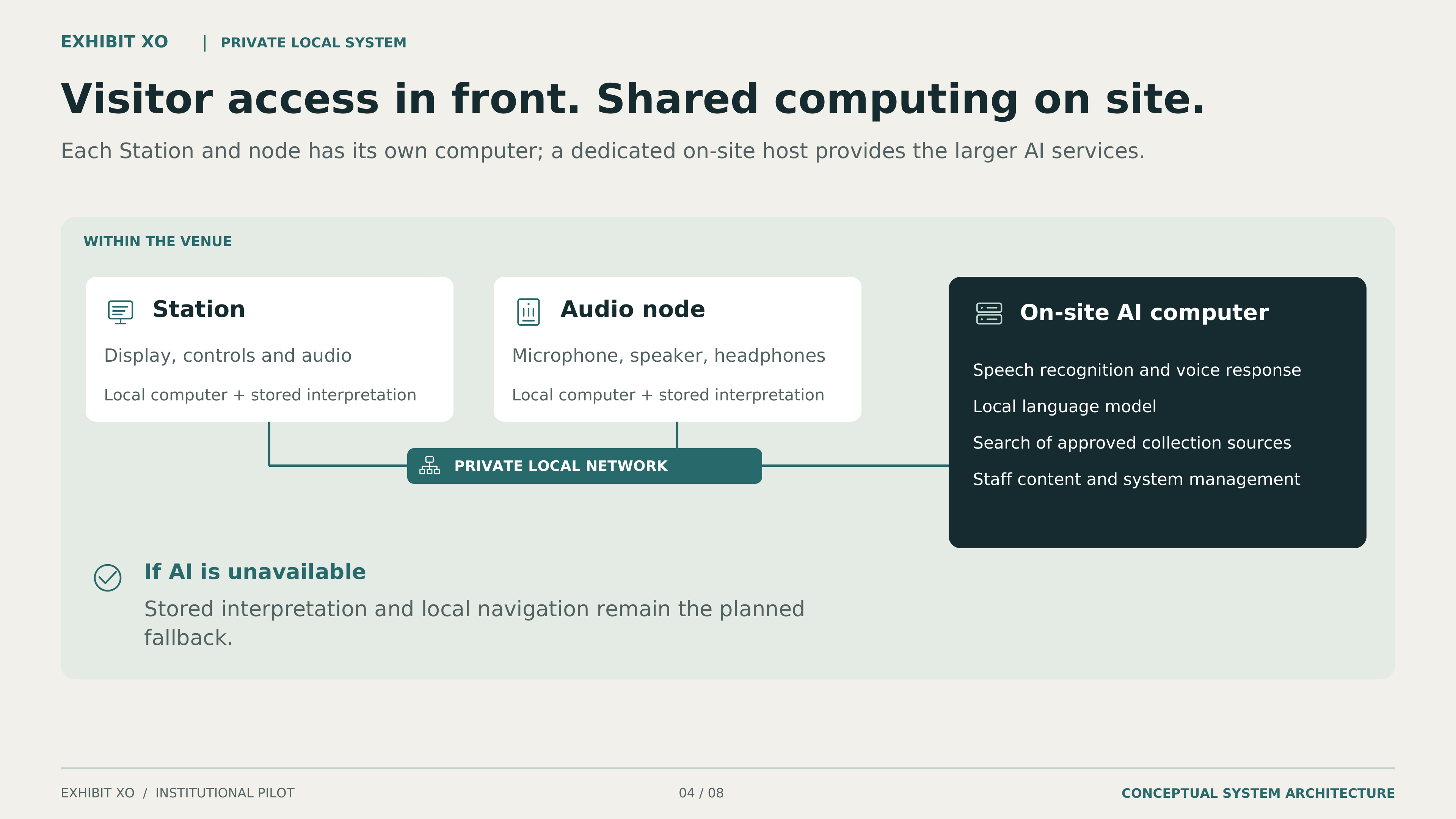
Where the system could run
Pi 5-class endpoint computers handle controls, stored approved interpretation and playback. Optional speech, retrieval and larger AI workloads use a separate institution-controlled on-site host over a private network. Cached interpretation and manual navigation remain the required endpoint fallback. A local endpoint LLM is not part of this pilot baseline.
13 · Evidence before scale
What is the smallest responsible first step?
Start with one or two AMDW works in the browser. Test entry, navigation, comprehension, correction, and staff workflow before considering hardware, AI, or a larger exhibition.
The museum supplies
- A real exhibition and visitor question.
- Works, object records, approved institution interpretation, and rights authority.
- The venue, staff workflow, technical context, and paid co-design and testing participants.
- Privacy, security, conservation, and evaluation decisions appropriate to scope.
Kenny Bass / Altheon supplies
- AMDW artwork authority and the controlled reference corpus.
- The browser experience for agreed works and a review-and-correction workflow.
- Implementation support during an agreed test or pilot period.
- Clear boundaries for optional features and a reliable browser fallback.
A museum question worth testing
The museum helps define one practical question about interpretation, visitor choice, accessibility, and day-to-day operation.
- First test
- AMDW provides the artwork, approved source material, and first test.
- Only if the first test earns it
- Only if the first pilot succeeds, a later test may use selected museum-owned material.
For discussion only. This dossier does not imply institutional interest, endorsement, approval, partnership, budget, or schedule.
14 · Before a pilot
What must be agreed before work begins?
The first conversation should decide whether there is a useful, answerable museum question. It creates no partnership, budget, or schedule.
- 01
Scoping conversation
Include appropriate exhibition, interpretation, visitor-experience, accessibility, and technical leads.
- 02
Site and access intake
Understand works, visitors, environment, current interpretation, and constraints.
- 03
Roles and governance
Name artwork, institution, accessibility, technical, privacy, and evaluation authority.
- 04
Rights and security
Agree source permissions, contribution status, data boundaries, release, and withdrawal.
- 05
Evaluation plan
Define the question, methods, consent where applicable, evidence, incidents, and correction.
- 06
Schedule and budget
Scope labor, equipment, support, insurance, fabrication, and contingency before commitment.
Detailed security records, contracts, engineering files, internal responsibilities, and participant records do not belong on this unlisted review page.
15 · Materials and next step
What should a reviewer do next?
Open the supporting materials, compare the proposal with the live AMDW companion, or begin a scoping conversation.
Discuss a pilot question
A first conversation identifies a useful visitor or exhibition question and the people who should be involved. It does not create a commitment.
- Exhibit XO provides
- The AMDW reference, approved interpretation, the browser companion, and a proposed evaluation and support plan.
- The institution decides
- The visitor question, participating staff, setting, content approvals, IT boundaries and available resources.
- Validate together
- Visitor access, interpretation, rights, staff workflow and success criteria. Hardware, mounting, acoustics and optional AI enter only if the agreed scope needs them.
- Immediate next step
- A short scoping conversation around one or two works, followed by a written pilot outline for review. No purchase, deployment or institutional commitment is implied.